New Possibilities for Online Classes after Canvas-Zoom Integration Upgrade
Feedback shows that many colleagues found the news article on Zoom focus mode (Ref: IT News on 30 March 2022) helpful for exam invigilation. In this article, we shall introduce new and enhanced features for CityU users provided by the Canvas-Zoom integration upgraded on 24 May 2022. Details of the integration, Zoom LTI Pro, are available in the release notes online.
Transfer of Zoom poll/quiz results to Canvas Gradebook
As a Zoom meeting host, colleagues can now conduct quizzes (polls with correct answers) besides polls (see Advanced polling and quizzing for meetings – Zoom Support for more information). Zoom facilitates the transfer of poll and quiz submissions to Canvas at the course level and the creation of associated Canvas Assignments. Hence, teachers can access the submission via Canvas's Gradebook and SpeedGrader. Please visit the Zoom Support webpage for step-by-step instructions.
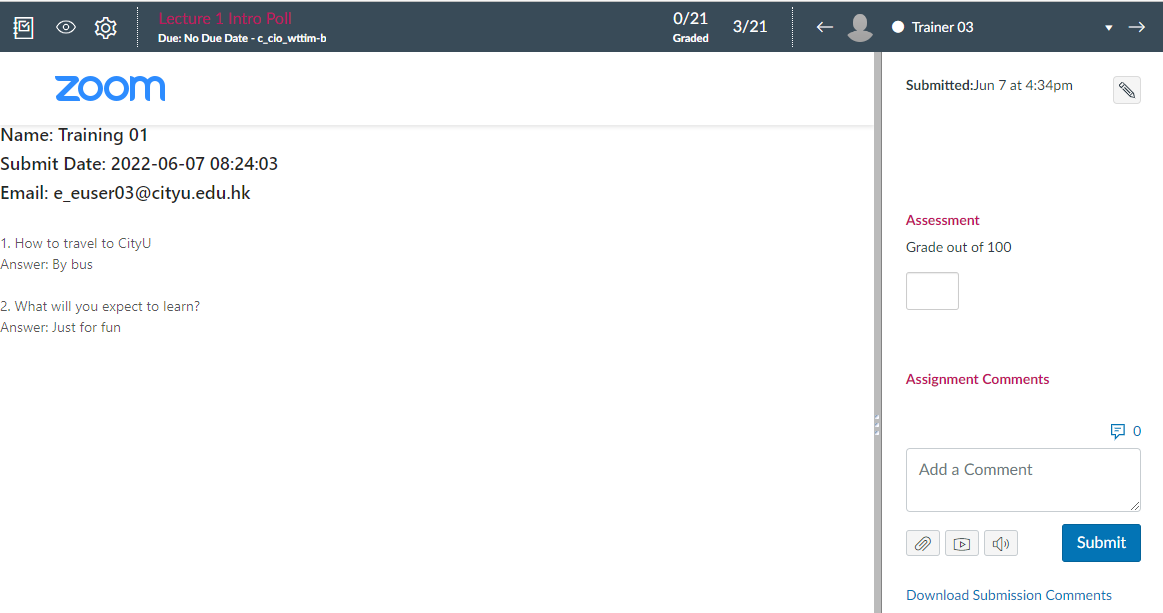
The Zoom participants must be authenticated students of the Canvas course to receive Zoom poll/quiz submissions. In the CityU context, Zoom hosts using Default Setting 3 (allowing non-CityU users to join Zoom meetings) need to be aware of missing submissions from non-authenticated students.
Pre-assignment of breakout rooms
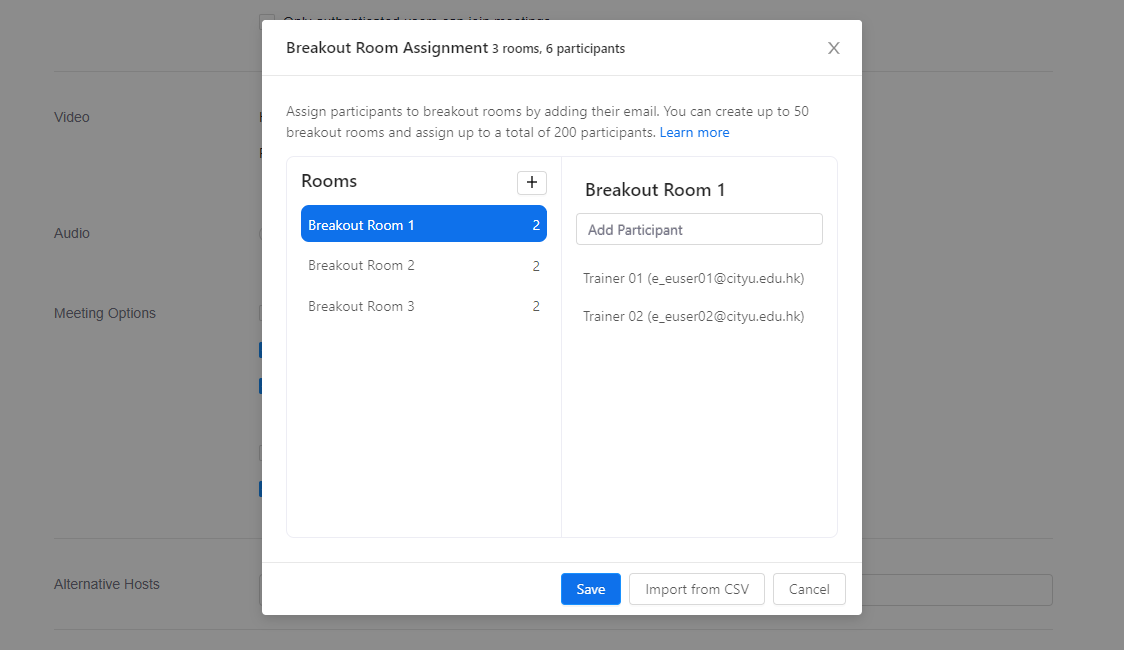
Colleagues may have the experience of pre-assigning Zoom breakout rooms for classes. However, one needed to enter the students' email addresses row after row. The new Canvas-Zoom integration allows teachers to select students by names to populate the breakout rooms during the scheduling process. Up to 50 rooms and 200 participants are supported.
Use of Personal Meeting ID (PMI) not supported
Using Personal Meeting ID (PMI) to schedule Zoom meetings inside Canvas was possible but not recommended since the Zoom cloud recordings might not correctly link to the Canvas course. As a result, PMI is no longer supported when scheduling a Zoom meeting in a Canvas course. Instead, please visit the Zoom application or the Zoom Web Portal (cityu.zoom.us) to schedule a Zoom meeting with PMI when the need arises.
For more information, please do not hesitate to contact the e-Learning team at elearn@cityu.edu.hk or 3442-6727.