Communal Meeting Rooms Supporting the “New Normal”
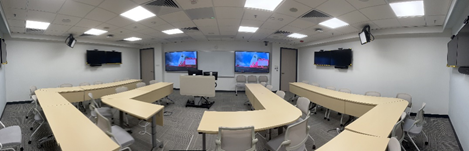
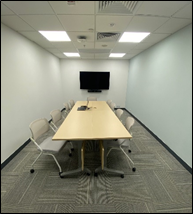
A number of meeting rooms on the 4/F and 5/F of Li Dak Sum Yip Yio Chin Academic Building (LI) have been refurbished with new furniture and an audio-visual (AV) system that supports the “new normal” operations. The refurbishment of these meeting rooms illustrates the commitment from the Computing Services Centre (CSC) to make improvements for staff in response to their needs.
The new normal
During the pandemic, academic and administrative staff often had to rely on Zoom and Teams conferences to collaborate with colleagues. In many cases, these meetings were held in hybrid mode, where a small group of participants attended the meetings in-person while the rest of the group joined remotely in virtual mode. Everyone needed to see and be seen – hear and be heard – as if they were all in the same room. This was not possible in the pre-Covid times as meeting rooms of the past did not have the right kind of technology put in place.
Video conferencing is a huge trend in today’s workplace because it allows users across the globe to communicate virtually via a Camera, speakers and microphones, in virtual face-to-face mode. The new Tracking Cameras introduced in the markets are capable of digitally or optically zoom-in on the speaker and “frame” the participants who are speaking by way of voice-tracking or face-tracking so that the online participants can see all the important details - right down to the body language and facial expressions of the speakers.
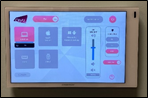
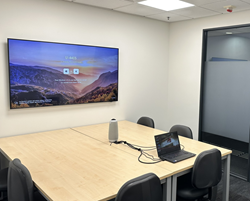
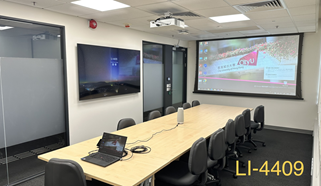
Understanding the needs of the participants, the CSC made an effort to ensure these technologies are put in place in all communal meeting rooms. Accordingly, to facilitate all the above scenarios, the newly refurbished meeting rooms with new IT and AV setup can serve the users a lot better now. All these rooms are presently set up with a Central Control System with a standardised user interface enabling users to self-serve and set up the rooms to their preferred liking with a single touch.
All the communal meeting rooms on both 4/F and 5/F are also equipped with tracking cameras, laptops, wireless displays, sound systems and LCDs with capabilities that induce and harbour discussions, collaborations, and presentations, whether they are held entirely in virtual or hybrid mode, using the popular video conferencing tools such as Zoom and Teams.
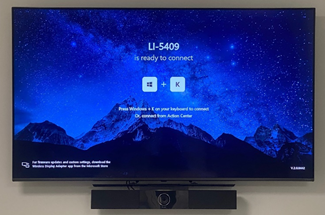
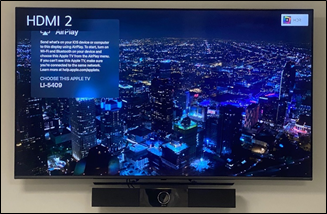
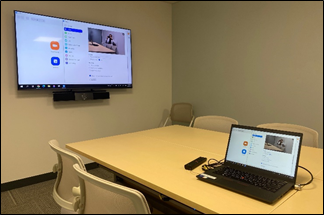
Furthermore, wireless Presentation or Screen mirroring is also available in all the newly set up communal meeting rooms. Users can project what’s on their Apple, Windows or Android smart devices to the large TV or projection screen using “Microsoft Miracast” or “Apple TV”.
Due to Covid-19 pandemic, some central control equipment are facing shortages by manufacturers. Having said that, the CSC has made significant efforts to ensure the users are not affected and ensure these rooms are ready-to-use for Staff by installing interim solutions while the university waits for permanent solutions, which are expected to be made available in early 2024.
Room Booking System Integration
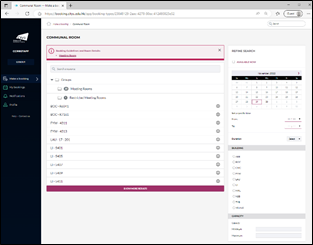
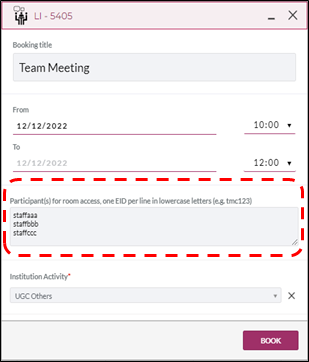
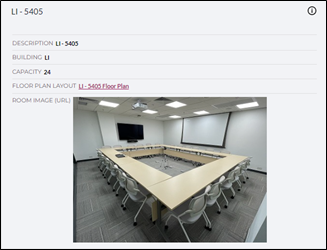
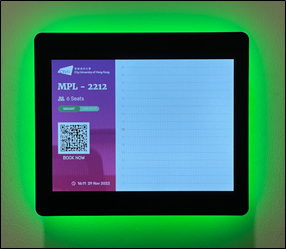
With an aim to enhance the user experience for booking and accessing the communal meeting rooms, the CSC has implemented a new Centralised Booking System together with the new Room Booking Panel and Smartlock System. Users can view the room details, search the room availability, and make the booking on the desired communal meeting rooms via the desktop, laptop or mobile device. Users can also have the option to add multiple participants to the booking to grant them room access by scanning the individual CityUHK Smartcard during the booking period.

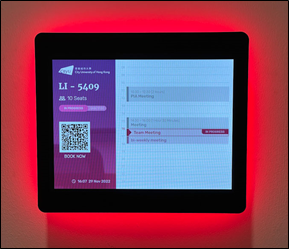
For Communal Meeting Rooms on 5/F, the Room Booking Panels are also mounted outside the entrance of each of the Communal Meeting room. It allows users to clearly see the booking records of the whole day. An attractive LED backlight of the panel can be seen from afar and it can indicate the room status; red for currently booked or green for available for booking right now.
The upgrade of communal venues and user experience improvement is nowhere near the end. Stay tuned for more and experience the convenience and efficiency technology brings you!