QuestionPro to Cater for Your Survey Needs
Online survey tools have been widely used in recent years. Many academics and students in the university are using survey tools to create questionnaires for research and education purposes. Recently, more administrative offices use survey tools for administrative activities, such as creation of application forms, feedback forms, etc. As mobile usage has increased rapidly, many survey respondents are using mobile phones to respond to the surveys. For this reason, online survey forms have adopted responsive design by default which automatically scales the content and controls to fit the screen size on which the respondents are viewing. It is convenient to the extent that the survey creator can simply focus on the content without the need to take care of the interface.
The University has subscribed QuestionPro as our centrally supported web-based survey tool. QuestionPro enables all faculty, staff and students to create and conduct any kind of survey or online data collection for university-related academic or administrative purposes. Besides an intuitive wizard interface for creating survey questions, it also provides a full set of analytics tools and reporting features. QuestionPro provides many channels to distribute the survey, such as via email, sharing on social media or embedding the survey URL link in a webpage. All the response results are available in real time.
Here are some highlights of the QuestionPro features.
- Rich in question types: QuestionPro provides over 40 question types for collecting different sets of information.

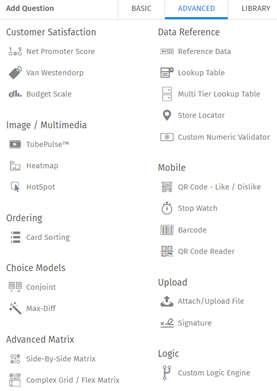
Some popular question types are:
i) Graphical rating: Radio buttons may be boring. To make surveys fun and easy to use, one can create graphical rating questions.
ii) Attach/Upload File: Allow respondents to upload files and/or documents as part of the survey response. This question type is great for application forms, where respondents can upload additional information in digital format.
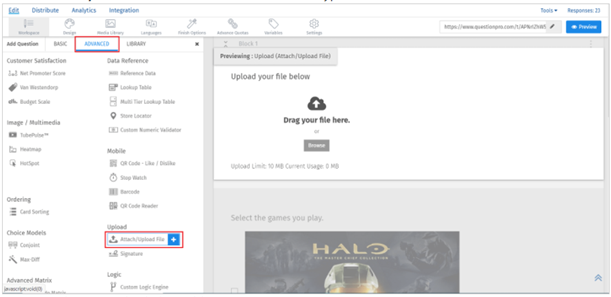
iii) Signature: Allow creators to collect respondents’ signatures.

- If the surveys are restricted for CityU members to respond, they can select “City University of Hong Kong SAML” in Security Settings. All respondents will need to authenticate their identity prior to responding the surveys.

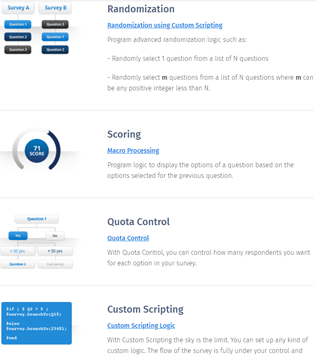
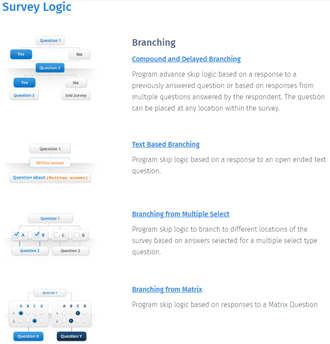
- QuestionPro provides a bunch of survey logics for the survey creators. For advanced surveys, branching and survey logic allow creators to present the questions flexibly to the respondents.
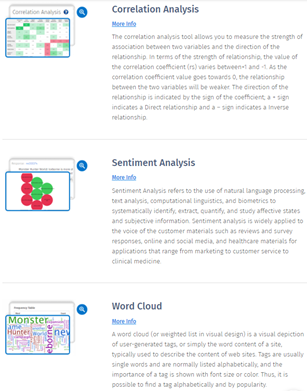
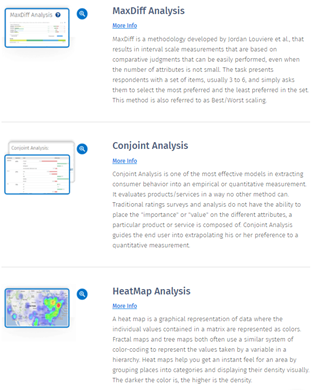
- In addition to the response data that can be exported in different formats, such as MS Excel, MS PowerPoint and SPSS, QuestionPro also has many built-in statistics reports.
QuestionPro is available for all CityU staff and students. To gain access to QuestionPro, simply log in to https://go.cityu.hk/questionpro using your EID and password. For training materials and FAQs, please refer to Online Survey service page.